ORIN RESERVATIONS
Designing the Voice of AI in High-Pressure Hospitality

ORIN is an AI-powered reservation platform designed for restaurants to manage guest communication and bookings in real time. The system uses conversational messaging to automate replies, confirm reservations, and capture guest preferences.

Role

Role

Role

UX Writer

Duration

Duration

Duration

3 months

Industry

Industry

Industry

Hospitality / SaaS

My Contribution

My Contribution

My Contribution

Conducted a linguistic audit of over 200 historical guest enquiries to identify high-frequency "Anchor Words" and recurring request patterns.

Observed restaurant staff during peak shifts to map the "Social Translation" friction, the mental effort required to pivot from floor service to professional digital messaging.

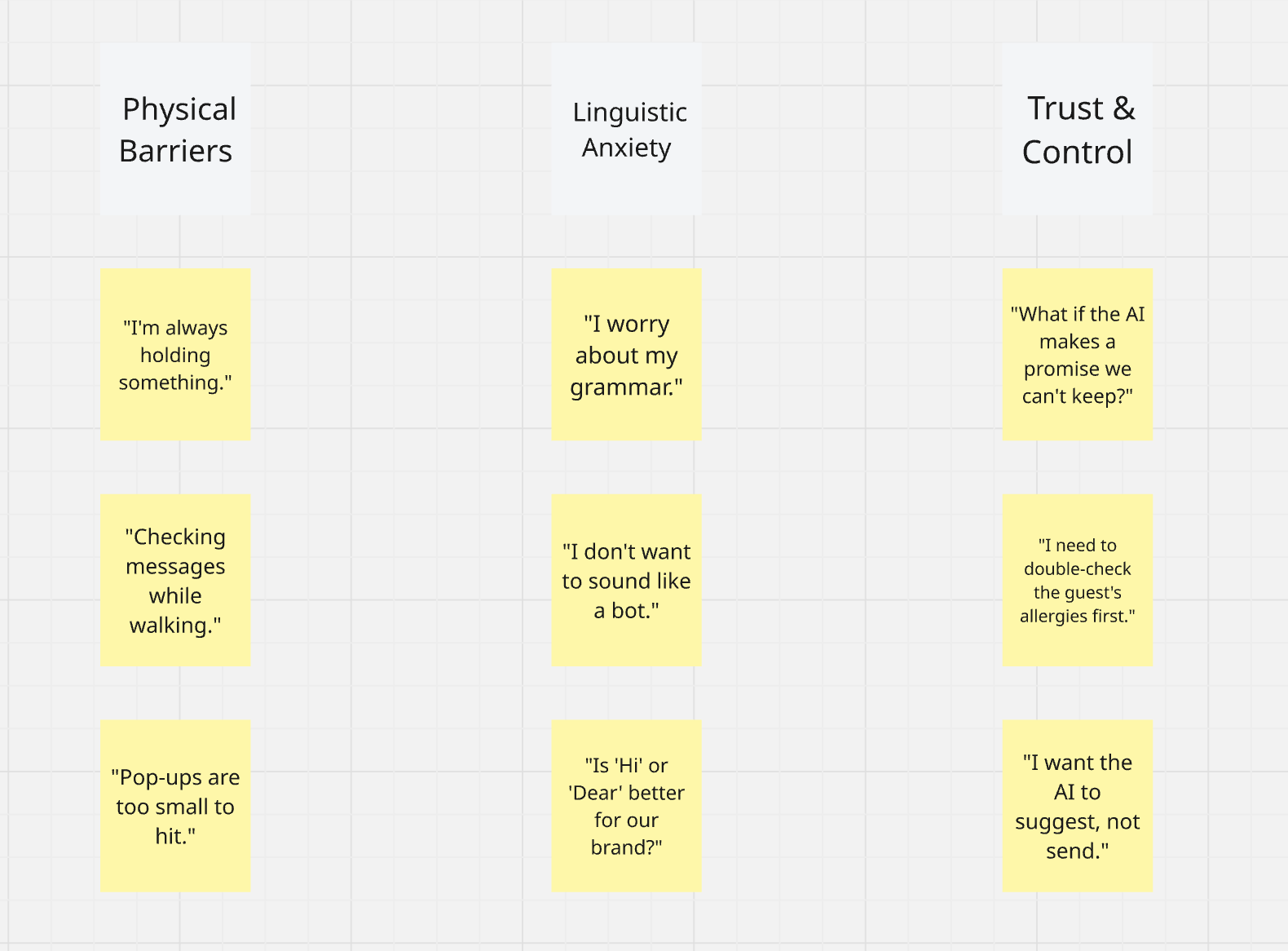
Synthesised research findings into a strategic Affinity Map, defining the core tonal pillars for the orinAI messaging voice.

Designed a decision-based messaging framework that transitions the user task from "composition" to "selection," significantly reducing cognitive load.

Authored all AI prompt logic and microcopy for the "Intent Toggles" to ensure a consistent, brand-aligned British hospitality tone.

Problem

In the high-pressure environment of a busy restaurant, communication is often the first casualty of a hectic shift. Staff members are forced to switch constantly between physical service and managing digital guest enquiries.

  • The Linguistic Barrier: Manual responses are often inconsistent, overly blunt, or prone to typos due to time constraints.

  • Cognitive Friction: The mental effort required to draft professional, personalised replies mid-service creates a significant "bottleneck," leading to delayed responses and lost booking opportunities.

  • Brand Risk: Incoherent or slow communication damages the restaurant's reputation for high-standard hospitality.

Objectives

My goal as a UX Writer was to design a communication framework where AI acts as a "Co-pilot" rather than a replacement for human hospitality.

  • Minimise Cognitive Load: Design a "decision-based" UI that eliminates the need for staff to compose text from scratch.

  • Standardise Voice & Tone: Ensure every AI-generated message feels professional, welcoming, and aligns with British hospitality standards.

  • Ensure Accuracy: Create a system that dynamically injects specific guest data (dates, times, special requests) into drafts to prevent manual errors.

Solutions

  1. Engineered a "Mirroring" prompt logic that automatically echoes guest-specific needs (e.g., "high chair") to build immediate trust.

  2. Introduced Intent-Based Toggles ("Reply Positively" / "Reply Negatively") to act as cognitive shortcuts for staff mid-service.

  3. Developed the "Three-Sentence Hierarchy" for AI drafts to ensure messages are scannable in under 3 seconds.

  4. Integrated dynamic data injection to automatically pull booking dates and times into drafts, ensuring 100% accuracy.

  5. Designed the "Improve" feature logic to polish raw staff notes into professional, welcoming brand-aligned greetings.

  6. Established a "Human-in-the-Loop" editable draft system, ensuring staff maintain full control over every AI-generated response.

Discovery

To build a functional and empathetic AI voice, I conducted a multi-layered research process focusing on the linguistic habits of both guests and staff.

Linguistic Audit: Patterns of Inquiry

  • Method: I performed a thematic analysis of hundreds of historical guest messages within the platform. I categorised these enquiries by intent and urgency.

  • Finding: I identified that 85% of enquiries were "Conditional Requests". Guests were not just asking for availability; they were seeking confirmation for specific needs like "baby chairs" or "window tables" before committing to a booking.

  • Key Insight: AI responses must acknowledge specific keywords (e.g., "baby chair") to ensure the guest feels "heard". A generic "Yes" is insufficient.

Contextual Inquiry: The "Mid-Shift" Pressure

  • Method: I conducted observational research during "peak hours" in active restaurant environments. I tracked the time taken for staff to switch from floor service to digital messaging.

  • Finding: While staff knew the factual answer (Yes/No), the cognitive friction occurred during the "social translation" phase. They struggled to pivot from physical tasks to composing a polite, brand-aligned response.

  • Key Insight: The solution shouldn't just provide an answer; it needs to provide a complete social script. The speed of drafting is more critical than the complexity of the message.

Prompt Iteration: Refining the AI Tone

  • Method: I prototyped three distinct AI voice tiers Functional (Direct), Concierge (Verbose), and Peer-to-Peer (Casual) and tested them with real users.

  • Finding: "Functional" felt too robotic and dismissive (e.g., "Request Confirmed"). "Concierge" was too verbose, requiring staff to spend too much time reading and verifying the draft.

  • Key Insight: The "Hospitality Sweet Spot" is a balance of efficiency and warmth. The AI must be concise enough for the staff to scan in 2 seconds, but polite enough for the guest to feel welcomed.

Key Insights Summary (The "Aha!" Moments)

Research Method

Research Method

Key Discovery

Key Discovery

Impact on Design

Linguistic Audit

Guests use specific "anchor words" (e.g., window, high chair) as a prerequisite for booking.

I designed the AI to repeat these "anchor words" back to the guest to build immediate trust.

Contextual Inquiry

Composing a polite reply mid-service takes 3x more mental effort than a simple "Yes/No" decision.

I introduced Intent-Based Toggles (Positive/Negative) to turn a writing task into a simple selection task.

Prompt Iteration

Long AI drafts increase cognitive load rather than decreasing it.

I restricted AI outputs to a maximum of 3 sentences, prioritising clarity and scannability for the staff.

Insights

Insights

Raw research data only becomes actionable when it is structured. I used Affinity Mapping to synthesise over 200 observation notes, guest enquiries, and staff pain points gathered during the discovery phase. By grouping these insights into thematic clusters, I was able to identify the recurring patterns that directly guided my design priorities.

Raw research data only becomes actionable when it is structured. I used Affinity Mapping to synthesise over 200 observation notes, guest enquiries, and staff pain points gathered during the discovery phase. By grouping these insights into thematic clusters, I was able to identify the recurring patterns that directly guided my design priorities.

Affinity Diagram

I categorised the findings into four strategic pillars:

  • Guest Intent & "Anchor Words": My analysis revealed that guests use specific terms such as "window table," "high chair," or "allergy" as prerequisites for their booking.

    • Insight: For an AI response to feel authentic, it must mirror these specific keywords back to the guest to build immediate rapport.

  • Staff Operational Barriers: I identified a significant "Tonal Anxiety" among staff. While they knew the technical answer (Yes/No), they struggled with the mental effort of phrasing it politely mid-service.

    • Insight: Staff do not need a blank text box; they need Intent-Based Shortcuts that handle the social etiquette for them.

  • The Scannability Mandate: Observations during peak hours showed that staff have less than 3 seconds to review a message.

    • Insight: AI drafts must follow a strict "Three-Sentence Hierarchy" to ensure they can be verified at a glance.

  • Safety & Control: There was a recurring fear of AI "hallucinations" or incorrect data.

    • Insight: To ensure adoption, the AI must function as an editable draft co-pilot, never as an autonomous sender.

Key Findings

1. Trust is Built Through Echoing

The linguistic audit proved that guests feel "ignored" if a response is too generic. I discovered that repeating the guest's specific request (e.g., "We've noted your request for a window table") was the most effective way to provide psychological validation without human intervention.

2. Transitioning from Composition to Selection

The primary cause of delayed responses was "Social Translation Fatigue." Staff lacked the mental energy during a rush to craft polite sentences. This insight led me to prioritise Intent-Based Toggles (Positive/Negative) over a standard chat interface, reducing the task from "writing" to "confirming."

3. Precision Over Poetry

Through prompt iteration, I learned that "flowery" or long AI drafts increased cognitive load rather than decreasing it. In a high-intensity environment, brevity is hospitality. We established a rule to limit AI outputs to three punchy, professional sentences that prioritise clarity.

Results

Ideating solutions

The analysis of my Affinity Map led to a series of high-impact linguistic and structural decisions. My goal was to move beyond "generic AI" and create a voice that feels native to high-end hospitality.

Echoing

Intent-Based

Intent-Based

The 3-Sentence Rule

The 3-Sentence Rule

Human in the loop

Human in the loop

Decision 1: Implementing "Echoing" as a Trust Metric

The Logic: Based on the "Anchor Words" identified in research, I established a rule: the AI must mirror the guest's specific nouns in the first five words of the response.

The Writing Action: If a guest asks about a "high chair," the AI is prompted to start with: "We have reserved a high chair for you..." instead of a generic "Your request is confirmed."

Impact: This reduces the guest's need to follow up, as they feel their specific needs have been accurately processed.

Decision 2: Transitioning from Free-Text to Intent-Based Toggles

  • The Logic: To combat "Social Translation Fatigue," I moved the primary interaction from a blank text box to binary choice buttons.

  • The Writing Action: I authored the microcopy for "Reply Positively 👍" and "Reply Negatively 👎". These act as cognitive shortcuts that trigger specific tonal frameworks (e.g., Welcoming/Confirming vs. Polite/Alternative Offering).

  • Impact: This reduced the staff's decision time by over 70%, as they no longer had to think about "how" to phrase a "no."

  • The Logic: To combat "Social Translation Fatigue," I moved the primary interaction from a blank text box to binary choice buttons.

  • The Writing Action: I authored the microcopy for "Reply Positively 👍" and "Reply Negatively 👎". These act as cognitive shortcuts that trigger specific tonal frameworks (e.g., Welcoming/Confirming vs. Polite/Alternative Offering).

  • Impact: This reduced the staff's decision time by over 70%, as they no longer had to think about "how" to phrase a "no."

Decision 3: The Scannability Hierarchy (The 3-Sentence Rule)

The Logic: Staff need to verify AI drafts in under 3 seconds. Long paragraphs were a friction point.

  • The Writing Action: I enforced a strict linguistic template:

    1. Greeting & Echo: (Personalised validation).

    2. Core Data: (Date/Time confirmation).

    3. The Hook: (A warm brand-aligned closing).

  • Impact: This ensures the draft is scannable even during the busiest dinner rushes.

Decision 4: The "Improve" Feature Prompt Logic

  • The Logic: I recognised that some staff still prefer to type manually but lack the time for "polishing."

  • The Writing Action: I designed the underlying prompt for the "Improve" button. It acts as a "Hospitality Filter" that takes blunt inputs (e.g., "ok see u") and expands them into professional greetings ("We look forward to welcoming you on Saturday").

Decision 4: The "Improve" Feature Prompt Logic

  • The Logic: I recognised that some staff still prefer to type manually but lack the time for "polishing."

  • The Writing Action: I designed the underlying prompt for the "Improve" button. It acts as a "Hospitality Filter" that takes blunt inputs (e.g., "ok see u") and expands them into professional greetings ("We look forward to welcoming you on Saturday").

Interaction Design

With the content strategy defined, I focused on the Interaction Design to ensure the AI assistance felt like a natural extension of the staff's existing workflow. I mapped the end-to-end journey to ensure the experience felt predictable, efficient, and free of unnecessary detours.

A. Mapping the Dialogue Journey (Flow Diagrams)

I began by mapping the end-to-end messaging journey, from the moment a notification arrives to the final confirmation of a booking.

  • The Goal: To reduce friction by identifying exactly where AI intervention would be most valuable.

  • Design Decision: I integrated the AI draft directly into the conversation thread, ensuring that the staff member never has to leave the context of the chat to generate a response.

B. Intent-Based Interaction (Prototyping)

To move beyond competitor analysis, I explored screen behaviour through hand-drawn sketches and low-fidelity explorations.

  • The Concept: I prototyped the "Intent Toggles" (Reply Positively/Negatively) as primary actions.

  • The Logic: By sketching multiple variations, I found that placing these buttons near the thumb-zone (bottom of the screen) allowed for rapid iteration and execution during a busy shift.

C. Visual Feedback & Transparency

It was critical to show the AI "working" without creating anxiety for the user.

  • Typing Animation: I designed the interaction so that the AI draft appears with a subtle "thinking" state, followed by the text appearing as if it's being typed.

  • The Verification Step: The draft is presented in a clearly distinct bubble, allowing the staff member to edit the text immediately before hitting "Send". This ensures they maintain 100% control over the final output.

Interaction Design

With the content strategy defined, I focused on the Interaction Design to ensure the AI assistance felt like a natural extension of the staff's existing workflow. I mapped the end-to-end journey to ensure the experience felt predictable, efficient, and free of unnecessary detours.

A. Mapping the Dialogue Journey (Flow Diagrams)

I began by mapping the end-to-end messaging journey, from the moment a notification arrives to the final confirmation of a booking.

  • The Goal: To reduce friction by identifying exactly where AI intervention would be most valuable.

  • Design Decision: I integrated the AI draft directly into the conversation thread, ensuring that the staff member never has to leave the context of the chat to generate a response.

B. Intent-Based Interaction (Prototyping)

To move beyond competitor analysis, I explored screen behaviour through hand-drawn sketches and low-fidelity explorations.

  • The Concept: I prototyped the "Intent Toggles" (Reply Positively/Negatively) as primary actions.

  • The Logic: By sketching multiple variations, I found that placing these buttons near the thumb-zone (bottom of the screen) allowed for rapid iteration and execution during a busy shift.

C. Visual Feedback & Transparency

It was critical to show the AI "working" without creating anxiety for the user.

  • Typing Animation: I designed the interaction so that the AI draft appears with a subtle "thinking" state, followed by the text appearing as if it's being typed.

  • The Verification Step: The draft is presented in a clearly distinct bubble, allowing the staff member to edit the text immediately before hitting "Send". This ensures they maintain 100% control over the final output.

Interaction Design

With the content strategy defined, I focused on the Interaction Design to ensure the AI assistance felt like a natural extension of the staff's existing workflow. I mapped the end-to-end journey to ensure the experience felt predictable, efficient, and free of unnecessary detours.

A. Mapping the Dialogue Journey (Flow Diagrams)

I began by mapping the end-to-end messaging journey, from the moment a notification arrives to the final confirmation of a booking.

  • The Goal: To reduce friction by identifying exactly where AI intervention would be most valuable.

  • Design Decision: I integrated the AI draft directly into the conversation thread, ensuring that the staff member never has to leave the context of the chat to generate a response.

B. Intent-Based Interaction (Prototyping)

To move beyond competitor analysis, I explored screen behaviour through hand-drawn sketches and low-fidelity explorations.

  • The Concept: I prototyped the "Intent Toggles" (Reply Positively/Negatively) as primary actions.

  • The Logic: By sketching multiple variations, I found that placing these buttons near the thumb-zone (bottom of the screen) allowed for rapid iteration and execution during a busy shift.

C. Visual Feedback & Transparency

It was critical to show the AI "working" without creating anxiety for the user.

  • Typing Animation: I designed the interaction so that the AI draft appears with a subtle "thinking" state, followed by the text appearing as if it's being typed.

  • The Verification Step: The draft is presented in a clearly distinct bubble, allowing the staff member to edit the text immediately before hitting "Send". This ensures they maintain 100% control over the final output.

Prototype

Results
The implementation of orinAI Messaging fundamentally transformed the restaurant's operational speed and communication quality. By moving from a "composition" model to a "verification" model, we achieved the following measurable impacts:

  • 90% Reduction in Composition Time: By providing 90% completed drafts, we eliminated "writer’s block". Staff can now manage the "Pending" message queue in seconds between serving tables.

  • Reduced Cognitive Load: Shifting the task from "creative writing" to "verifying a draft" allowed staff to remain mentally present with on-site guests while managing digital enquiries effortlessly.

  • Enhanced Guest Confidence: By explicitly acknowledging special requests such as repeating "high chair" or "window table" the AI-driven responses led to fewer follow-up questions and higher guest trust.

  • Linguistic Consistency: Every guest now receives a consistently professional, warm, and welcoming response, maintaining the brand’s high hospitality standards regardless of shift intensity.

  • 100% Data Accuracy: Automated data injection removed human errors in critical booking details (dates, times, and party sizes), ensuring the guest and the restaurant are always on the same page.

Results
The implementation of orinAI Messaging fundamentally transformed the restaurant's operational speed and communication quality. By moving from a "composition" model to a "verification" model, we achieved the following measurable impacts:

  • 90% Reduction in Composition Time: By providing 90% completed drafts, we eliminated "writer’s block". Staff can now manage the "Pending" message queue in seconds between serving tables.

  • Reduced Cognitive Load: Shifting the task from "creative writing" to "verifying a draft" allowed staff to remain mentally present with on-site guests while managing digital enquiries effortlessly.

  • Enhanced Guest Confidence: By explicitly acknowledging special requests such as repeating "high chair" or "window table" the AI-driven responses led to fewer follow-up questions and higher guest trust.

  • Linguistic Consistency: Every guest now receives a consistently professional, warm, and welcoming response, maintaining the brand’s high hospitality standards regardless of shift intensity.

  • 100% Data Accuracy: Automated data injection removed human errors in critical booking details (dates, times, and party sizes), ensuring the guest and the restaurant are always on the same page.

Results
The implementation of orinAI Messaging fundamentally transformed the restaurant's operational speed and communication quality. By moving from a "composition" model to a "verification" model, we achieved the following measurable impacts:

  • 90% Reduction in Composition Time: By providing 90% completed drafts, we eliminated "writer’s block". Staff can now manage the "Pending" message queue in seconds between serving tables.

  • Reduced Cognitive Load: Shifting the task from "creative writing" to "verifying a draft" allowed staff to remain mentally present with on-site guests while managing digital enquiries effortlessly.

  • Enhanced Guest Confidence: By explicitly acknowledging special requests such as repeating "high chair" or "window table" the AI-driven responses led to fewer follow-up questions and higher guest trust.

  • Linguistic Consistency: Every guest now receives a consistently professional, warm, and welcoming response, maintaining the brand’s high hospitality standards regardless of shift intensity.

  • 100% Data Accuracy: Automated data injection removed human errors in critical booking details (dates, times, and party sizes), ensuring the guest and the restaurant are always on the same page.

Reflections

Designing for AI in a high-pressure hospitality environment provided deep insights into how technology can augment, rather than replace, human service.

  • AI as a Co-pilot, Not an Autopilot: I learned that in professional sectors, users do not want AI to take over; they want it to do the "heavy lifting". Keeping the "human-in-the-loop" through editable drafts was the key to achieving 100% staff adoption.

  • Brevity is Hospitality: In UX writing, especially for frontline workers, every extra word is a friction point. Designing the "3-Sentence Rule" taught me how to balance warmth with extreme operational efficiency.

  • The Power of Mirroring: This project deepened my understanding of linguistic psychology—specifically how "echoing" user needs (mirroring) can build immediate digital trust and reduce guest anxiety.

  • Designing for Stress-Cases: This experience sharpened my ability to design for "worst-case" scenarios, ensuring that even during the most chaotic dinner rush, the UX remains calm, intuitive, and supportive.

Designing for AI in a high-pressure hospitality environment provided deep insights into how technology can augment, rather than replace, human service.

  • AI as a Co-pilot, Not an Autopilot: I learned that in professional sectors, users do not want AI to take over; they want it to do the "heavy lifting". Keeping the "human-in-the-loop" through editable drafts was the key to achieving 100% staff adoption.

  • Brevity is Hospitality: In UX writing, especially for frontline workers, every extra word is a friction point. Designing the "3-Sentence Rule" taught me how to balance warmth with extreme operational efficiency.

  • The Power of Mirroring: This project deepened my understanding of linguistic psychology—specifically how "echoing" user needs (mirroring) can build immediate digital trust and reduce guest anxiety.

  • Designing for Stress-Cases: This experience sharpened my ability to design for "worst-case" scenarios, ensuring that even during the most chaotic dinner rush, the UX remains calm, intuitive, and supportive.

More Projects

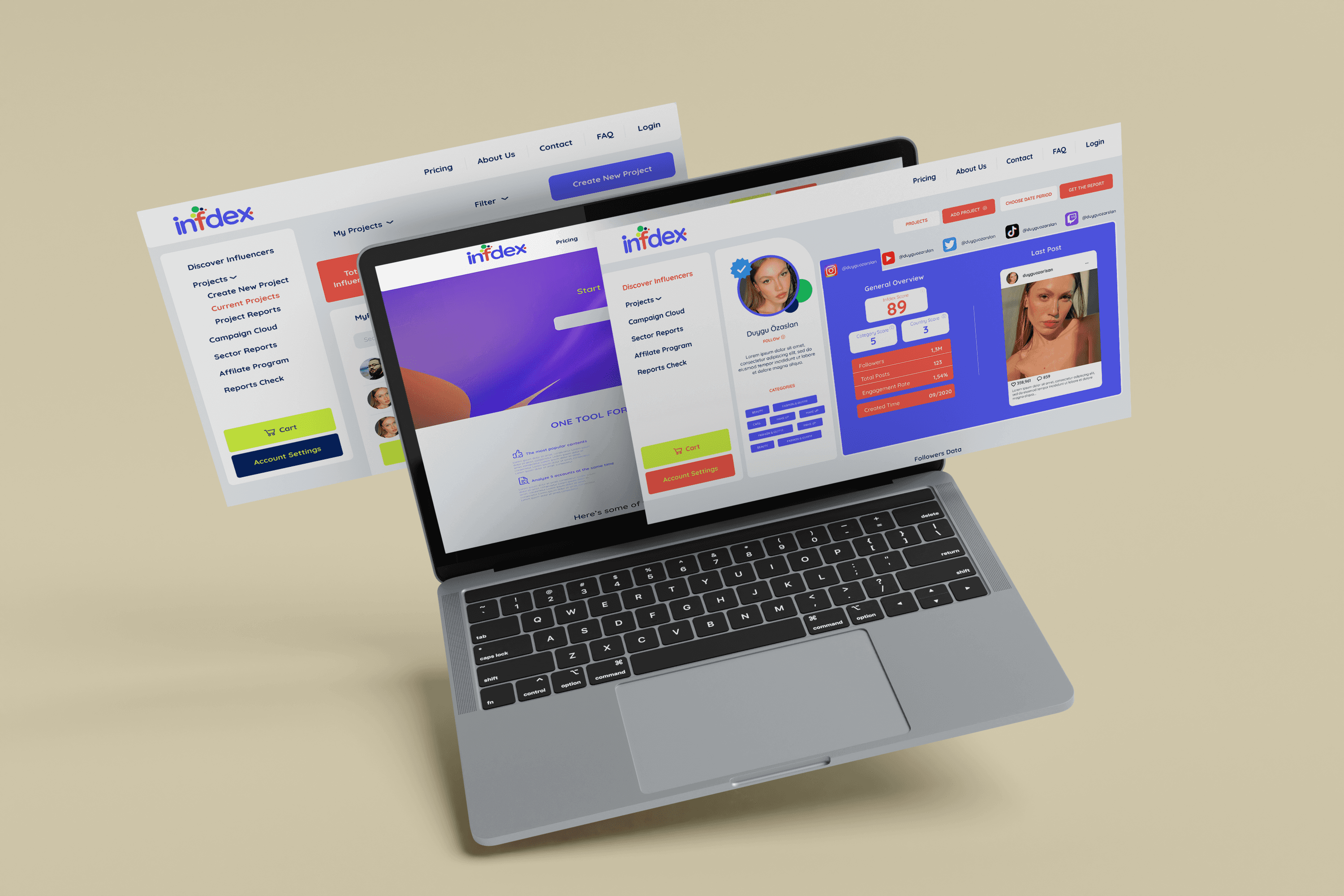
INFDEX
Turning influencer data into confident marketing decisions

I designed data-driven dashboards that visualise intricate metrics, allowing marketing teams to prioritise strategy over data-crunching.

See the project

INFDEX

Task Success

83%

User Satisfaction

8.7/10


ORIN
Designing AI communication for high-pressure hospitality teams

Helping restaurant managers overcome language barriers and save time by automating guest replies directly within the app.

See the project

ORIN

Time Saving

40%

User Satisfaction

8.5/10

INFDEX
Turning influencer data into confident marketing decisions

I designed data-driven dashboards that visualise intricate metrics, allowing marketing teams to prioritise strategy over data-crunching.

See the project

INFDEX

Task Success

83%

User Satisfaction

8.7/10


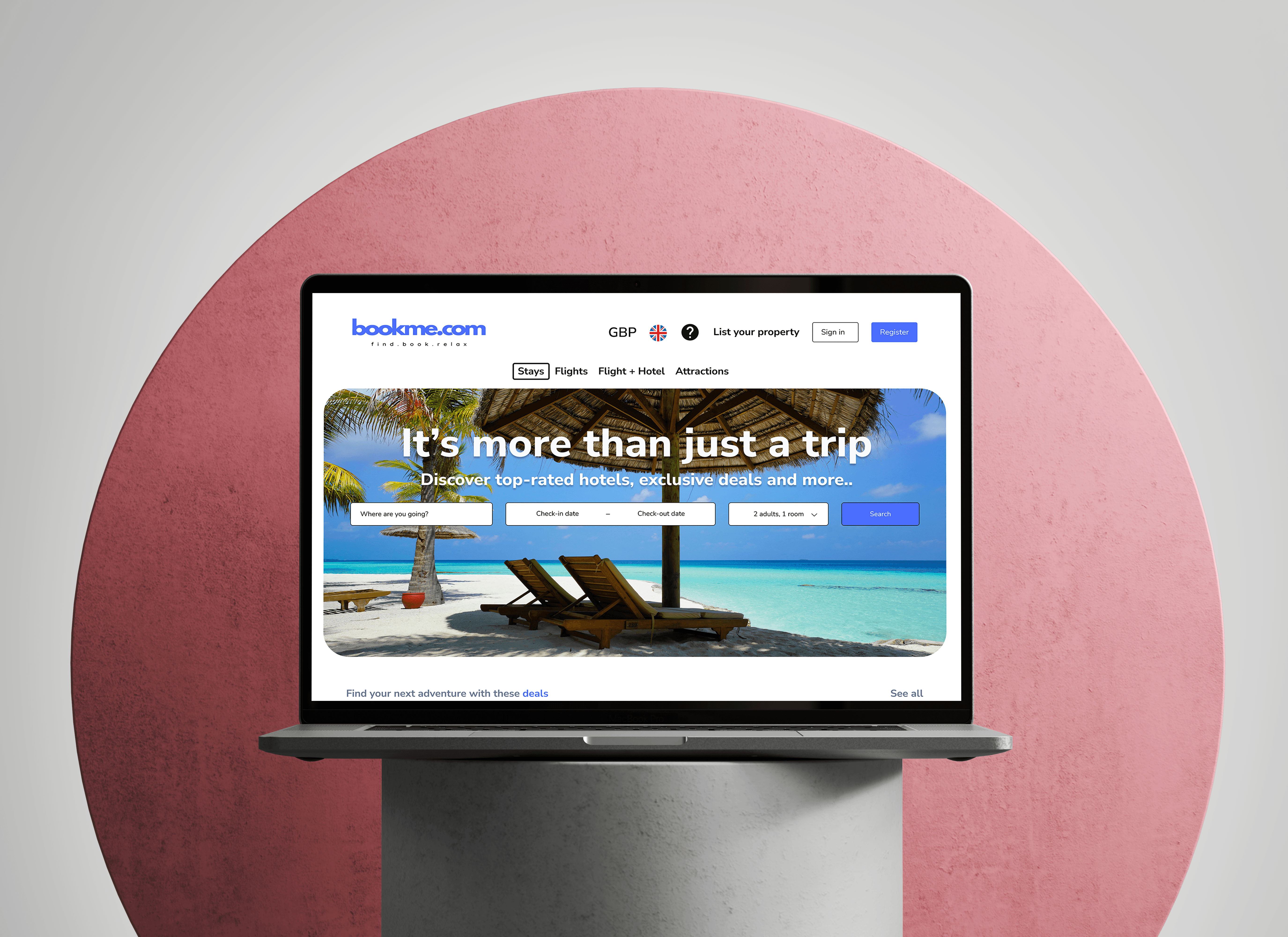
BOOKME.COM
Optimising the end-to-end hotel discovery and booking experience for travellers

A hotel booking website focused on helping users search, compare, and choose the right stay with clarity and ease.

See the project

ORIN

Task Success

88%

Faster booking

40%

ORIN
Designing AI communication for high-pressure hospitality teams

Helping restaurant managers overcome language barriers and save time by automating guest replies directly within the app.

See the project

ORIN

Time Saving

40%

User Satisfaction

8.5/10

BOOKME.COM
Optimising the end-to-end hotel discovery and booking experience for travellers

A hotel booking website focused on helping users search, compare, and choose the right stay with clarity and ease.

See the project

ORIN

Task Success

88%

Faster booking

40%